


Digital Audio Labs LIVEMIX CS-SOLO PERSONAL MIXER
$599.99
Make a great personal mix with the Livemix CS-SOLO, the most feature rich personal mixer on the market. The LCD touchscreen with custom naming makes creating a mix easy. Dedicated knobs provide quick access to essential features. The CS-SOLO provides 24 channels plus accessory channels, each with EQ and compression. The master output features EQ, compression and reverb.
MirrorMix® remote setup and mixing, mute and solo options, channel grouping and LCD dimming make the Livemix system deep enough for professionals, but simple enough for volunteers. To maximize stage mixes, connect two CS-SOLO units to a single port on the MIX-16 or MIX-32. The first personal mix is the blue “A Mix” while the second personal mixer unit will be the red “B Mix”. Power and audio is supplied to the second CS-SOLO over a network cable connected to the CS-SOLO THRU port.
| LIVEMIX CS-SOLO | ||
|---|---|---|
| Output Power & THD+N | @22Ω | 200mW @ 1% THD+N |
| 100mW @ .03% THD +N | ||
| @32Ω | 250mW @ 1% THD+N | |
| 100mW @ .014% THD +N | ||
| @64Ω | 250mW @ 1% THD+N | |
| 100mW @ .005% THD +N | ||
| @300Ω | 130mW @ 1% THD+N | |
| 100mW @ .003% THD +N | ||
| Frequency Response | 20 Hz – 22 kHz ± 3 dB | |
| S/N Ratio | 103 dB | |
| Input Impedance (Aux In) | 7.5 kΩ | |
| Crosstalk (Left to Right) | -103 dB | |
| Max Cable length from MIX-16 | 100m CAT5e cable (shielded recommended) | |
| Filter Q | High Pass & Low Pass | .707 |
| Peak/Dip | 1.2 | |
| Filter Cut/Boot Amount | ± 6 dB | |
| Ambient Mic Gain | 25 dB | |
Description
-
24 Channels + 4 Accessory Channels
While most personal mixers give you 16 total mixable channels, Livemix offers 24 plus additional accessory channels. With Stereo Pairs and built-in Groups, it’s easy to build true stereo pairs and multi-channel groups.
-

Simple To Use
Making a personal mix is much easier when you can “turn up Sasha” or “turn down the bass” and not try to remember who is on what channel. With a color LCD touchscreen with custom names, scribble strips and guessing is a thing of the past. Dedicated knobs for adjustments, your own channel group and master volume make mixing simple and intuitive.
-

Crystal Clear Headphone Amplifier
The headphone amplifier on Livemix will drive nearly any impedance and give you incredible space and tonal separation. This makes creating a personal mix easier as channels on other systems can tend to “smear” or “get muddy”.
-

EQ, HPF, & Dynamics on Every Channel
Effects presets for each instrument type help make mix setup simple. You can also bypass the presets and edit each effect directly. The effects in Livemix are global so that you only have to set them up once and everyone gets an incredible sounding personal mix.
-

Built-in Accessory Channels
In addition to the 24 input channels, Livemix boasts 4 accessory channels. Built-in ambient mics helps musicians locate themselves on stage when using in-ear monitors. The intercomm allows team communication and the auxillary input can connect to a media player for practicing songs or for tracks. The built-in metronome helps everyone stay on time.
-

Remote Mixing and Intercom
MirrorMix remote mixing lets anyone get help when they need it. Any personal mixer can audition and mix any other mix. Push out a good starter mix to all mixers at once with Global MirrorMix. In MirrorMix mode, the built-in intercom is direct to the target mixer for easy confirmation and communication.
Related products
-

Stick With Jesus Hickory Christian Drumsticks – Natural
$12.99Read more -
Sale!

Stageline X-Type Padded Keyboard Bench, Heavily Padded
Original price was: $91.99.$84.99Current price is: $84.99.Add to cart -


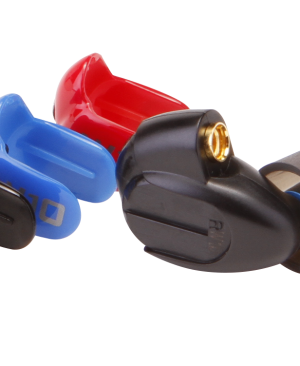
Westone W10 Earphones
$199.99Add to cart -
Sale!


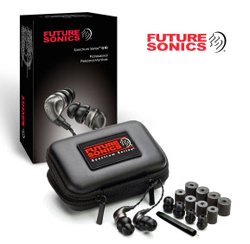
Future SoniscSpetrum G10 InEar Monitors
Original price was: $219.99.$199.99Current price is: $199.99.Add to cart


